
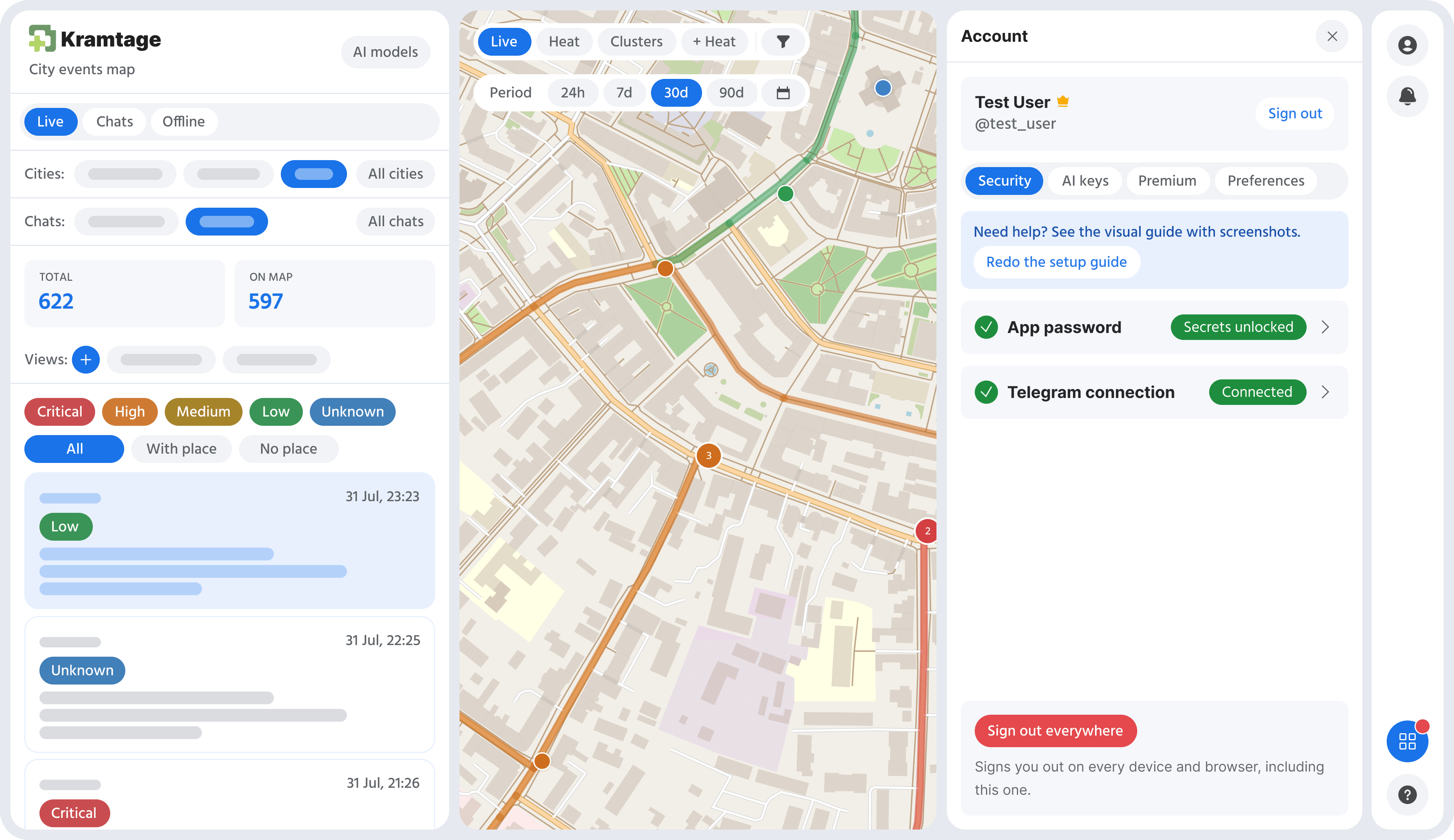
Signing in and connecting a reader are two different things
You sign in with Telegram. What that leaves behind is short to list: your Telegram account id, your username, and the display name on your profile. That is what the app knows you by, and it is what tells it whose map to show you.
If you sign in by scanning the QR code, a Telegram session does open for a second. It exists only long enough to ask Telegram who scanned, and it is signed out again in the same request. Nothing about it is stored.
Reading channels is a second step, and you have to choose it. That one does keep a Telegram session, because a session is the thing that can read a channel's posts. Because it is kept, we recommend turning on two-step verification first. During the scan the app waits for Telegram to ask for your cloud password; if Telegram never asks, the account has no two-step verification and the app saves the session anyway, then keeps recommending it in the account panel.
A stored session is the worst thing here to lose. With two-step verification on, a stolen one is something you end with a single tap in Telegram. Without it, the stakes are the whole account.
What gets read
Only the channels on your list. The reader listens to that set and nothing else, and a post with no text in it is skipped. Your private chats, your groups that nobody added, your contacts, your saved messages: none of them are in the set, so none of them are read.
Reading also goes one direction only. Nothing is written back to your Telegram account from here, so the app does not post, does not join channels on its own, and does not message anyone.
A channel is read once for everyone who follows it rather than once per subscriber. While you are online, your connected account may be the one doing that reading for other people on the same channel, and theirs may be doing it for you.
What is kept from one post
For each post: which channel it came from and its number there, the text, the time it was posted, the place worked out from that text and the coordinates for it, how precise the place is (a point, a street, a stretch of street, a district), the shape drawn for a street, the importance level and event type assigned to it, and which AI service did the placing.
One thing is missing from that list on purpose. If a post had a photo, a video or a file attached, what gets stored is a yes-or-no flag saying it had one. The file itself is never downloaded and never kept.
How long it stays
Messages are deleted 90 days after they arrive. The rows go outright, and 90 days is the default for that window. One thing outlives them: a correction you made on an old message stays as a rule, so the placement it taught the app keeps working after the message it came from is gone.
Your account runs on a different clock. It, your email if you added one, and your encrypted keys and session all stay until you take them away.
What "delete my account" does
Deleting your account from the account panel has no flag, no grace period and nothing to undo. In one step it removes the channels nobody else follows along with every message stored from them, your own rows (your subscriptions, your settings, everything else attached to you), the change requests filed against those messages, and the account row itself. Every stored secret is a column on that row, so your Telegram session and your AI keys go with it. The decrypted key held in memory is dropped and the reader stops using your account in the same breath.
Some things stay, deliberately: payment records, the moderation audit trail, published language work that other accounts depend on, and correction rules. A channel that someone else also follows is their data too, so it survives with its messages.
Two more details. Deleting asks for your app password and not just a signed-in browser, because an irreversible wipe should not be reachable with a stolen tab. And the account that operates the service cannot delete itself, which is the one exception.
If you would rather ask a person for a copy of your data or for its deletion, write to support@kramtage.com.
Ending it from Telegram's side
You do not have to ask me at all. Open Telegram, go to Settings, then Devices. The app's session is listed there like any other device you have signed in from. End it and the reading stops right then; the app finds the session dead and stops trying to use it.
Removing the connection in the account panel deletes the stored copy on this end. Either one alone stops the reading, and doing both is the complete answer.
The full statement of what is collected and why is in the privacy policy.